For iPhone and CarPlay
Your car.
On your screen.
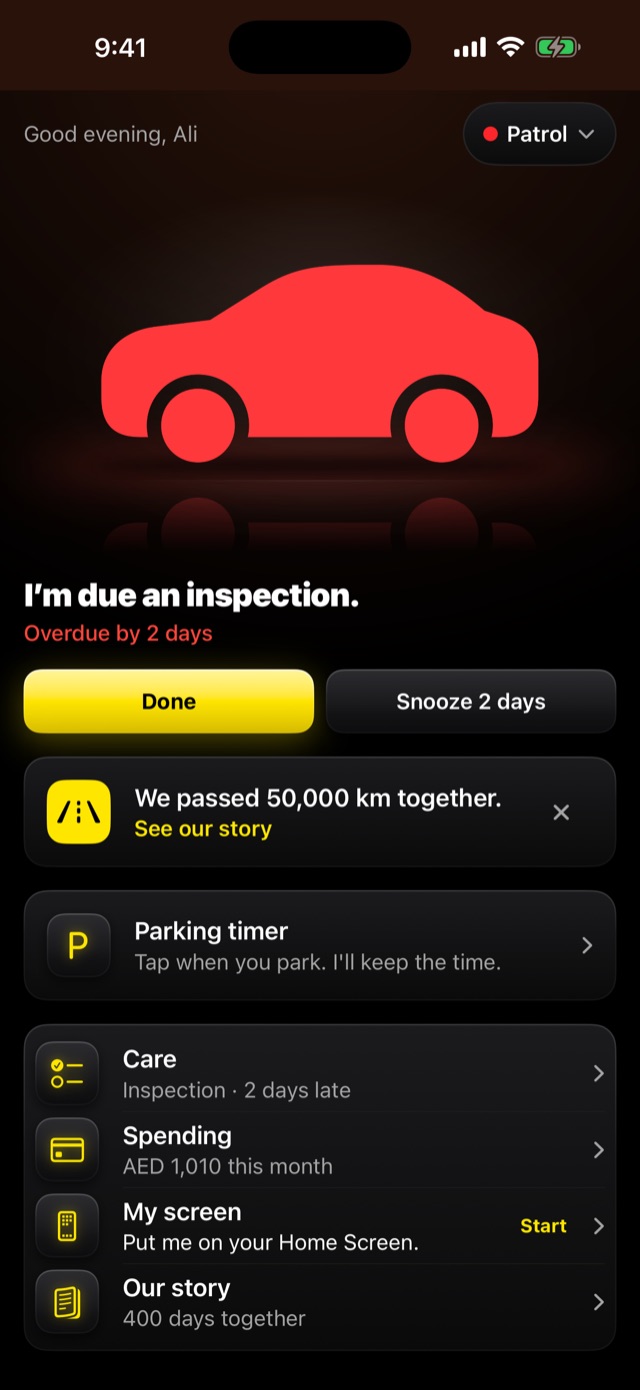
Put your own car on the CarPlay screen and your Home Screen. OneCar keeps its dates, its parking and its costs, and tells you in one line what it needs.
Free to start. You see your own car on your screen before you pay anything.
On the dashboard
Get in, and there it is.
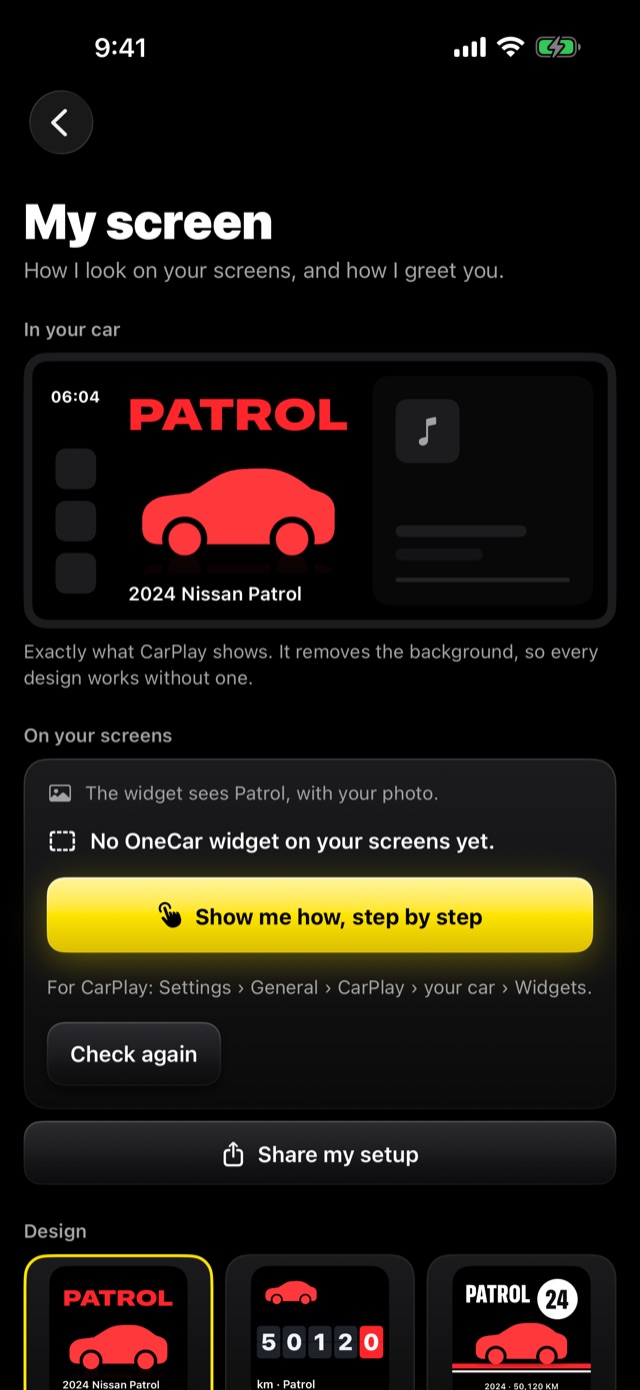
From iOS 26, CarPlay shows your iPhone's widgets. Add OneCar's and your car is on the car's screen every time you drive. CarPlay removes widget backgrounds, so every design is made to look right without one.

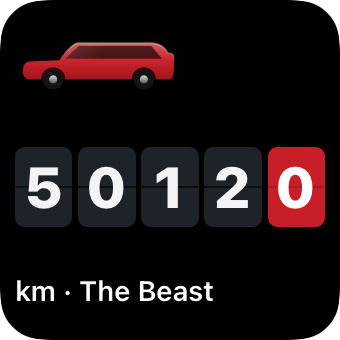
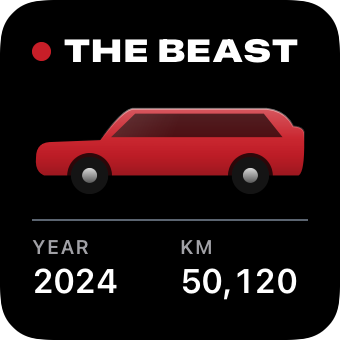
The widgets as OneCar draws them for CarPlay. Shown with the sample car; yours shows your own.
Settings › General › CarPlay › your car › Widgets
OneCar shows you step by step how to add the widget, and checks it's there when you come back.
Your photo
Your car, not a stock picture.
Pick a photo of your car. OneCar lifts the car out of the background, right on your phone, and lights it in its own colour. No photo? It draws your car's shape instead.
- Five widget designs. Cover is free. Odometer, Race Number, Line and Spec Sheet come with Pro, and you can try them first.
- Home Screen, Lock Screen and StandBy, plus a Next Reminder countdown.
- A name of its own. Call it The Beast. It greets you by name on CarPlay, and plays a short welcome sound when you get in via Apple Shortcuts.
- Made to share. Export a clean 9:16 Story card of your CarPlay setup in one tap.


Care
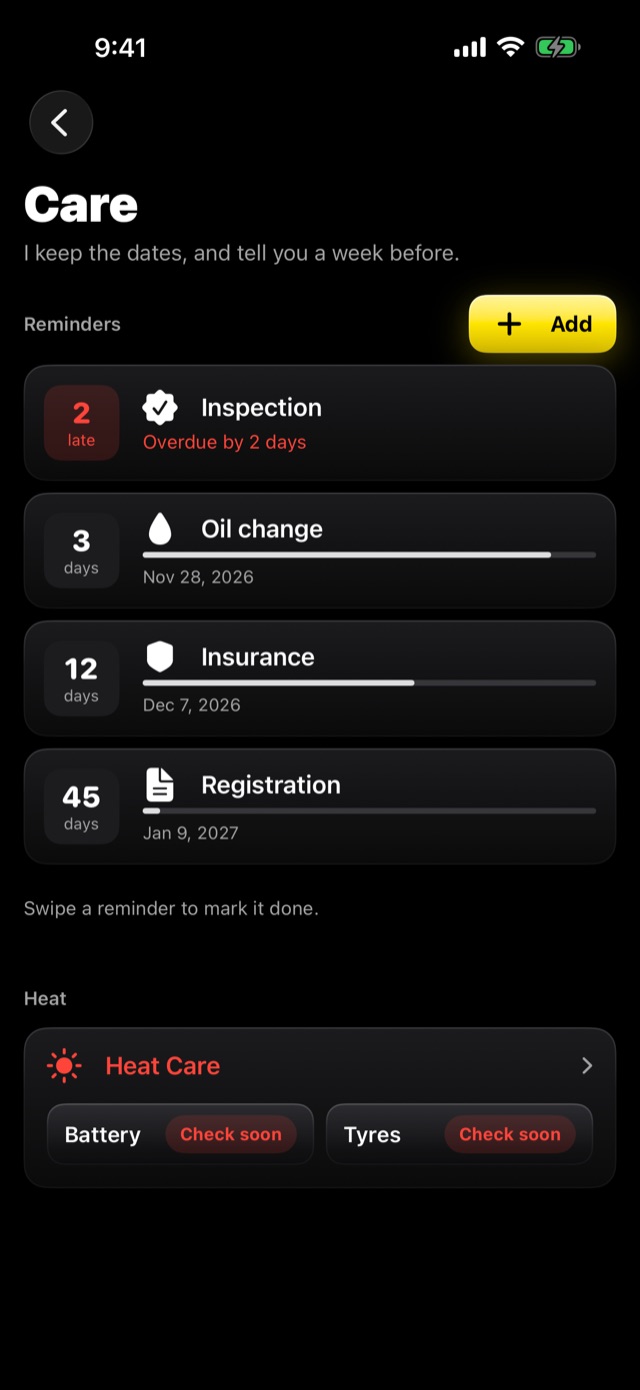
I keep the dates, and tell you a week before.
Insurance, registration, oil change, anything. The alert comes from your car, in one line, a week before and on the day.
- Answer from the Lock Screen: "Already done" or "Remind me in 2 days".
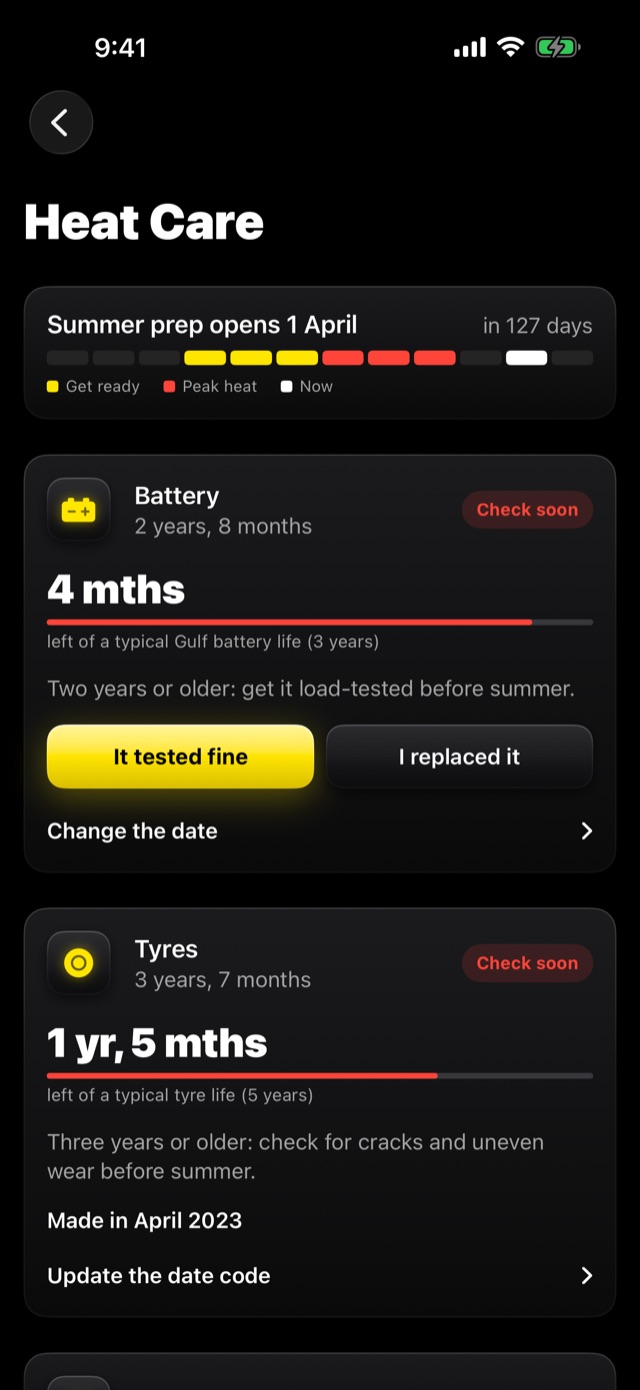
- Heat Care, made for Gulf summers. Battery and tyre age judged for hot weather: check the battery from 2 years, replace from 3; tyres from the date code on the sidewall, check from 3 years, replace from 5.
- A summer checklist every year before the heat. Heat Care goes by age only, and says so.
Parking
A parking timer for all seven emirates.
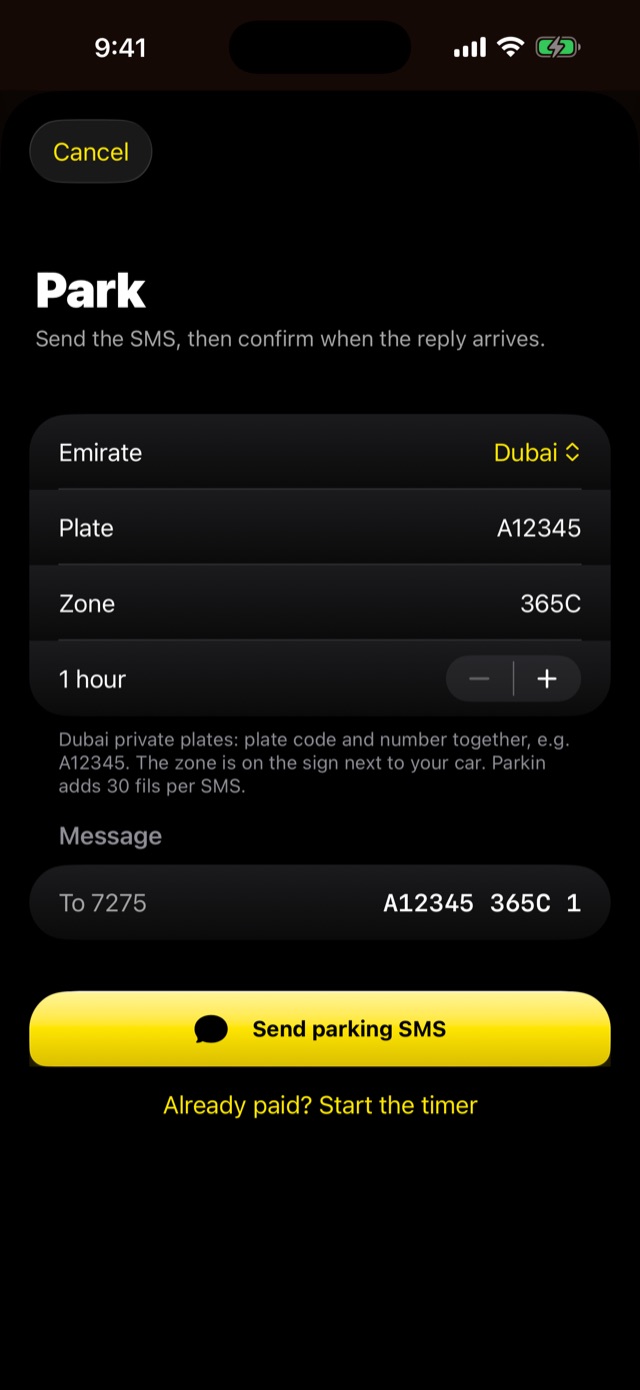
In Dubai and Sharjah, OneCar fills in the parking text for you and you send it from Messages. The timer starts when you confirm the reply.
- On your Lock Screen and in the Dynamic Island, with a warning 10 minutes before the end.
- Abu Dhabi, Ajman and the other emirates: pay the usual way, then start the timer in one tap.
- Park again with one tap: OneCar remembers your plate and last zone.
OneCar never sends anything itself; you send the text from your own phone.
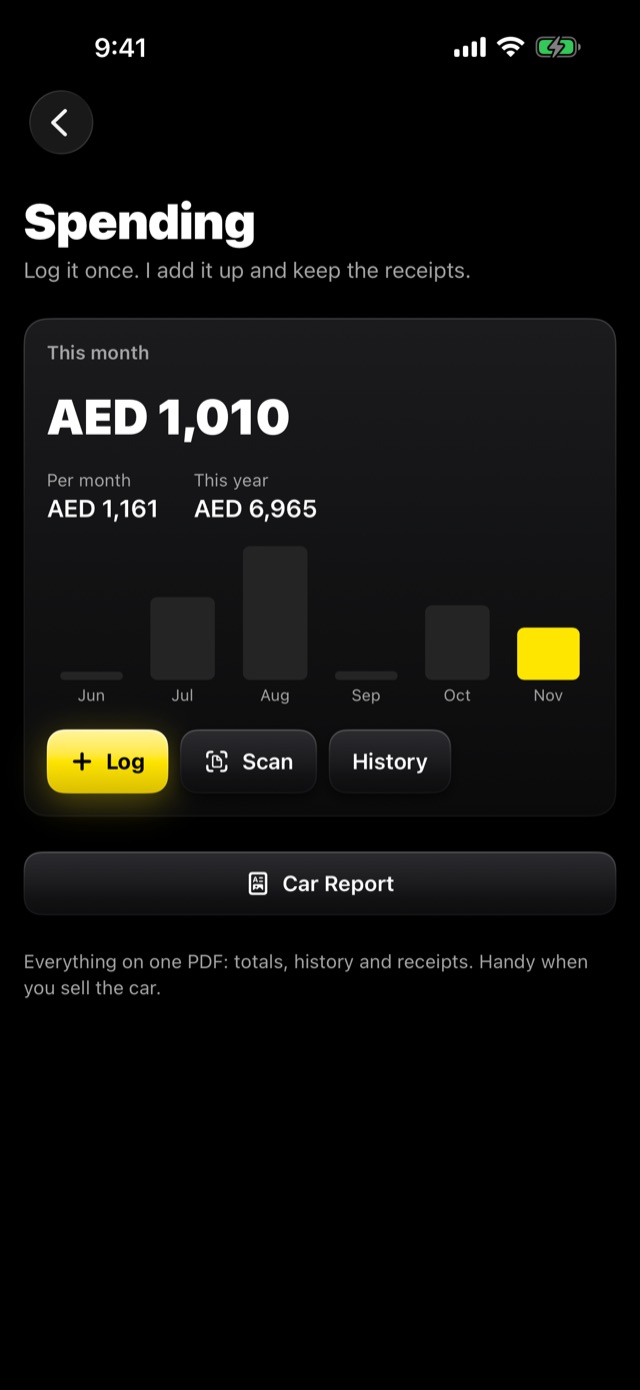
Spending
Log it once. I add it up and keep the receipts.
Fuel, service, washes, parking. See this month, your usual month and the year.
- Scan a receipt and OneCar reads the total and the date on your phone, in English or Arabic.
- Log an oil change and the matching reminder is ticked off, ready for you to set the next one.
- Car Report (Pro): everything on one PDF, totals, service history and receipts. Handy when you sell the car.
Privacy
Your car stays on your phone.
No account
Nothing to sign up for. Open it and add your car.
No server
Photos, dates, costs and receipts stay on your phone. We never receive them.
No tracking
No analytics, no ads, nothing sold or shared. This website doesn't track you either.
Price
Free to start. Pro when you want more.
Free
Your car on your screen, for good.
- One car, with the Cover widget
- Three open reminders
- Parking timer and Heat Care
- Spending log and receipt scan
OneCar Pro
Your car, every way you want it.
- Every widget design
- All CarPlay welcome sounds + import your own audio clip
- All your cars, each with its own widget and log
- Unlimited reminders
- PDF car report
Bought through Apple. Prices in your currency are shown in the App Store before you pay.
Questions
Will it work in my car?
Does my car need anything special for CarPlay widgets?
No. Any car with wired or wireless CarPlay works automatically on iOS 26 or later — no brand list, no dongle, and nothing to pair. Once your iPhone has connected to your car before, turn OneCar on from Settings › General › CarPlay › your car › Widgets.
How do the CarPlay welcome sounds work?
OneCar includes built-in welcome chimes (plus custom audio clips with Pro) that run automatically through Apple's Shortcuts app when CarPlay connects. OneCar walks you through the 4-step automation and confirms once it has run.
Can I see my own car before paying?
Yes. Cutting out your car's photo, seeing it on the Cover widget, the UAE parking timer, Heat Care, and up to 3 reminders are all free forever. You can preview every Pro design and sound on your own car before choosing whether to upgrade.